
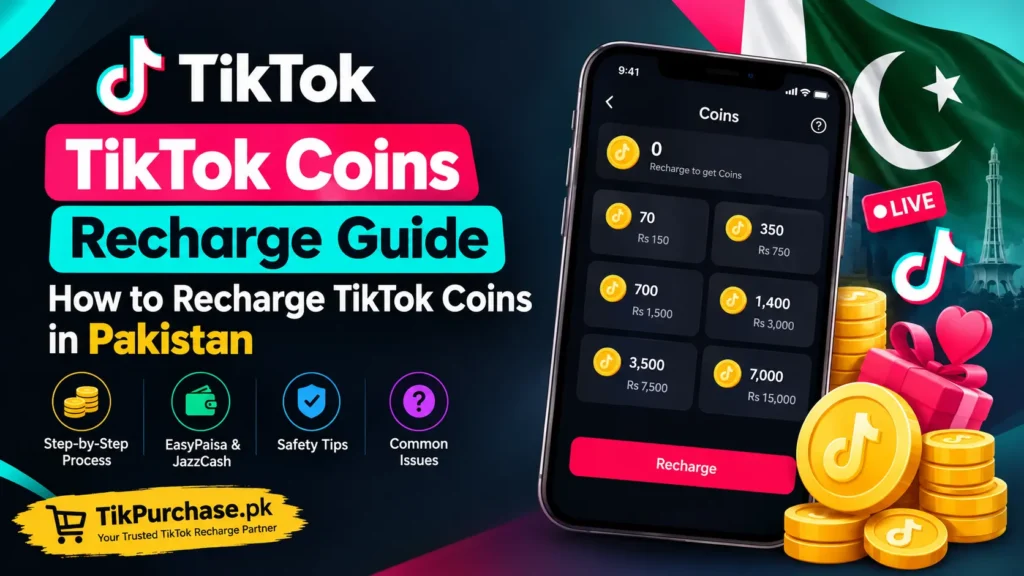
TikTok has become a major platform for short-form videos, LIVE streams, creator communities, and digital interactions. Along with watching and creating content, users can participate in supported TikTok LIVE experiences by using virtual Gifts. TikTok Coins are the virtual currency associated with these gifting features.
For users in Pakistan, understanding how TikTok Coins recharge works can make the purchasing process easier and help avoid common payment, account, and order-related mistakes. Whether you occasionally send Gifts to creators or regularly participate in TikTok LIVE sessions, it is useful to understand what Coins are, how they are purchased, what payment options may be available, and what to do if a recharge does not appear immediately.
This guide explains the TikTok Coins recharge process in detail, including how to choose a package, review pricing, provide the required information, complete payment, handle processing delays, and protect your account and payment credentials.
The availability of Coins, packages, payment methods, and certain TikTok features can vary depending on your country, account, device, platform, and TikTok’s current policies. Therefore, users should always check the latest information shown at the time of purchase.
What Are TikTok Coins?
TikTok Coins are a form of virtual currency associated with supported features on TikTok. One of their primary uses is purchasing virtual Gifts that eligible users can send to creators during supported TikTok LIVE experiences.
Coins are purchased rather than earned as ordinary cash. After acquiring Coins, an eligible user may use them for supported virtual interactions within TikTok.
It is important to understand the difference between Coins and Gifts.
TikTok Coins are the virtual currency purchased by the user.
TikTok Gifts are virtual items that may be sent using eligible Coins.
The general concept can therefore be understood as:
Purchase TikTok Coins → Use eligible Coins → Send supported virtual Gifts
TikTok may introduce, change, or restrict certain features over time. As a result, the exact ways Coins can be used may differ depending on the user’s account and location.
What Does TikTok Coins Recharge Mean?
TikTok Coins recharge simply refers to purchasing or adding TikTok Coins to an eligible TikTok account through an available purchasing method.
When someone searches for terms such as “TikTok Coins recharge,” “TikTok Coins top up,” or “buy TikTok Coins,” they are generally looking for a way to obtain Coins that can be used for supported TikTok virtual features.
The basic recharge process usually involves several stages:
- Choosing a Coin package.
- Reviewing the current price.
- Providing the required account information.
- Selecting an available payment method.
- Completing payment.
- Waiting for processing where applicable.
- Checking the TikTok account after completion.
Although the concept is straightforward, the exact process can vary depending on whether Coins are purchased directly through TikTok or through an eligible digital recharge service.
How Does TikTok Coins Recharge Work?
A TikTok Coins recharge involves purchasing a specific quantity of virtual Coins through an available purchasing channel.
The user first decides how many Coins they need. The available packages can differ depending on the platform, region, account, and current purchasing options.
After selecting a package, the user reviews the price and provides any information required for processing. Payment is then completed using one of the available payment methods.
Once the transaction has been confirmed, the purchase may be processed immediately or may require some processing time depending on the method used.
Users should avoid assuming that every payment is completed instantly. If an order shows as processing, it is usually better to check the order status and wait for the stated processing period rather than immediately submitting another payment.
How to Recharge TikTok Coins in Pakistan
Users in Pakistan may encounter different ways to purchase TikTok Coins depending on the current payment and recharge options available to them.
Before starting, decide how many Coins you actually need and compare the available packages.
A typical process can be divided into the following steps.
Step 1: Choose a TikTok Coins Package
The first step is selecting the desired Coin package.
Different users have different requirements. Someone who rarely watches LIVE streams may only need a small quantity, while a regular viewer who frequently sends Gifts may prefer a larger package.
When comparing packages, consider:
- Number of Coins
- Total price
- Payment method
- Processing information
- Account requirements
- Customer support
- Order conditions
Do not automatically choose the largest package simply because it contains more Coins. Your choice should depend on how many Coins you expect to use and how much you are comfortable spending.
Step 2: Check the Current TikTok Coins Price
Prices can change, so users should check the current price before completing a purchase.
An old article, screenshot, social media post, or previously saved price list may no longer represent the current price.
When comparing packages, look at both:
Coin quantity + total price
The number of Coins alone does not tell you whether a package is suitable for your budget.
If you want to review current digital recharge options, you can visit the TikPurchase.pk TikTok Coins purchase page and check the information available before placing an order.
Step 3: Enter the Required Information Carefully
Depending on the recharge method, you may need to provide information associated with your TikTok account.
Always double-check the information before submitting the order.
A small typing mistake can cause unnecessary delays if the recharge is processed according to the information entered during checkout.
Before confirming an order, check:
- TikTok account information
- Coin quantity
- Package selection
- Price
- Payment method
- Order details
If you discover that incorrect information was entered after payment, contact the relevant support team as soon as possible rather than creating another order.
Step 4: Select an Available Payment Method
Payment methods depend on the purchasing service and current availability.
For Pakistani users, local digital payment options may include methods such as:
- EasyPaisa
- JazzCash
- Bank transfer
- Other supported digital payment methods
Not every payment method is available at all times.
Payment options can also change based on technical availability, merchant configuration, transaction limits, or other factors.
For this reason, users should rely on the payment options displayed during the current checkout process rather than an old article or screenshot.
Step 5: Confirm the Payment Amount
Before completing payment, carefully compare the amount shown on the payment page with the amount displayed for your order.
This is particularly important when using a mobile wallet or bank transfer.
Check that:
- The amount is correct.
- The package is correct.
- The order details are correct.
- The payment recipient or instructions are correct.
- You are using the intended payment method.
Once the payment has been completed, save the transaction receipt or reference number.
Step 6: Wait for Order Processing
After payment, the recharge may require processing.
Some digital orders can be completed quickly, while others may take longer depending on the purchasing method and provider.
If your order shows as processing, do not immediately submit another payment.
Instead:
- Check the order status.
- Confirm whether payment was successful.
- Keep your transaction reference.
- Wait for the stated processing period.
- Contact support if the order exceeds the expected processing time.
This approach can help reduce the risk of accidental duplicate payments.
Step 7: Check Your TikTok Account
After the recharge has been processed, check the relevant TikTok account to confirm that the Coins have been credited or that the purchase has been completed according to the applicable process.
If the balance does not appear immediately, first review the order status.
A delay does not necessarily mean that the payment failed.
If the order remains pending beyond the stated processing period, contact the relevant support team and provide your order information and payment reference.
TikTok Coins Recharge with EasyPaisa in Pakistan
EasyPaisa is one of the widely used digital payment services in Pakistan and may be available through supported digital recharge services.
If EasyPaisa is available during checkout, users can select it and follow the payment instructions provided.
Before making the payment, check:
- TikTok Coins package
- Total amount
- Order information
- Payment instructions
- Transaction details
After payment, save the confirmation message or transaction reference.
If your payment is deducted but the recharge remains pending, avoid immediately making another payment. Instead, verify the order status and contact support if necessary.
Payment availability can change, so users should always check the current checkout page.
TikTok Coins Recharge with JazzCash
JazzCash may also be available for TikTok Coins purchases through supported digital recharge services.
The process generally involves selecting a Coin package, choosing JazzCash if available, and completing the payment according to the instructions shown at checkout.
Before confirming a JazzCash payment, make sure that the amount matches the order.
If your payment is completed but the order is still processing, keep the transaction reference.
You should also avoid sending your JazzCash PIN or other confidential security information to another person.
Payment authentication should take place through the appropriate payment interface.
TikTok Coins Price in Pakistan
There is no single permanent price that applies to every TikTok Coins package in Pakistan.
Pricing may depend on several factors, including:
- Coin package
- Location
- Platform
- Purchasing method
- Current exchange rates
- Applicable charges
- Provider pricing
- TikTok’s current purchasing options
This is why users should check the current displayed price before placing an order.
When comparing packages, do not focus only on the largest Coin quantity. Instead, consider how many Coins you actually need and whether the total price fits your budget.
A current price shown at checkout is generally more useful than an old price mentioned in an article.
Why Can TikTok Coins Prices Be Different?
Users sometimes notice that the price of Coins can differ between purchasing methods.
There can be several reasons for this.
Platform Differences
Purchasing through different platforms can involve different pricing structures or transaction costs.
Location
TikTok’s pricing and purchasing options can vary by market.
Package Size
Different Coin packages naturally have different total prices.
Payment Costs
Certain payment methods or transaction systems may involve additional charges.
Currency Conversion
If a transaction involves a currency other than Pakistani Rupees, exchange rates may affect the final amount.
Because these factors can change, users should check the final amount before confirming payment.
TikTok Coins vs TikTok Gifts
TikTok Coins and TikTok Gifts are related but different.
Coins are the virtual currency purchased by users.
Gifts are virtual items that eligible users can send using supported Coins.
For example, a viewer may purchase Coins and then use eligible Coins to send a virtual Gift during a supported TikTok LIVE session.
Understanding this distinction can make it easier to search for the correct information.
Someone looking for a way to buy Coins should search for terms such as:
- TikTok Coins
- TikTok Coins recharge
- TikTok Coins top up
- Buy TikTok Coins
- TikTok Coins price
Someone looking for information about virtual interactions may instead search for:
- TikTok Gifts
- TikTok LIVE Gifts
- TikTok Gift value
- TikTok virtual Gifts
These terms are connected but do not mean exactly the same thing.
What Are TikTok Coins Used For?
TikTok Coins are primarily associated with supported virtual features, particularly virtual Gifts.
A user may purchase Coins and then use eligible Coins for supported virtual interactions.
The exact features available to a user can depend on their account, location, age eligibility, platform, and TikTok’s current feature availability.
TikTok may update its features over time, so information about Coins should be checked against the current TikTok app or official information where necessary.
Coins should also not be treated as ordinary money.
They are virtual currency intended for supported uses within TikTok.
Are TikTok Coins the Same as Cash?
No.
TikTok Coins are virtual currency and should not be considered equivalent to ordinary cash.
Users purchase Coins for supported TikTok features. They are not the same as money stored in a bank account or mobile wallet.
This distinction is important because users should understand what they are purchasing before completing a transaction.
A digital Coin balance should therefore be viewed as a virtual balance associated with supported TikTok functionality rather than as a general-purpose financial balance.
Is TikTok Coins Recharge Safe?
The safety of a recharge depends on the purchasing method, the provider, and how the user handles their account and payment information.
Users can reduce common risks by reviewing the service before making a payment.
A transparent digital recharge process should clearly communicate information such as:
- Product or Coin package
- Price
- Required information
- Payment options
- Processing information
- Order status
- Customer support
- Applicable order terms
Users should also avoid services that request unnecessary confidential credentials.
If you are exploring a digital recharge service in Pakistan, you can review the information available through TikPurchase.pk before deciding whether its available options meet your requirements.
Never Share Your TikTok Password
Account security is one of the most important considerations when purchasing digital products.
A normal recharge process should not require you to send your TikTok password directly to another person through WhatsApp, email, SMS, or social media.
Never share:
- TikTok password
- Email password
- OTP
- Two-factor authentication code
- EasyPaisa PIN
- JazzCash PIN
- Bank PIN
- Card PIN
- Recovery codes
If someone asks you to send an OTP or password through a chat message, do not provide it.
Payment verification should be completed through the appropriate official payment interface.
Why Should You Never Share an OTP?
An OTP is designed to verify a transaction or login attempt.
If another person receives your OTP, they may potentially use it to authorize an action associated with your account or payment service.
For this reason, an OTP should be treated as confidential.
A legitimate support representative should not need you to publicly post or casually send sensitive authentication codes.
If you receive an unexpected OTP, do not share it. Instead, check why the code was generated and secure the relevant account if necessary.
Common TikTok Coins Recharge Problems
Although many digital recharge transactions are straightforward, users can sometimes experience issues.
Understanding common problems can help you respond correctly.
Coins Have Not Been Credited
If the Coins have not appeared, first check the order status.
The transaction may still be processing.
Do not immediately create another order simply because the balance has not appeared.
Check the original order first.
Payment Was Successful but the Order Is Processing
Payment confirmation and recharge completion can sometimes occur at different stages.
Your payment may have been received while the order is still being processed.
In this situation:
- Save the payment receipt.
- Check your order status.
- Wait for the stated processing period.
- Contact support if the order exceeds that period.
Incorrect Account Information
Incorrect account information can cause delivery or processing problems.
Always review your information before placing an order.
If you notice an error after payment, contact support as soon as possible and provide the relevant order details.
Payment Failed
If payment fails, first determine whether money was deducted.
If there was no deduction, you may be able to try again using a supported payment method.
If money was deducted but the order was not completed, save the transaction reference and contact the relevant support team.
Duplicate Payment
A payment page that appears slow does not necessarily mean the payment failed.
Before making another payment, check your payment history and order status.
This is especially important when using mobile wallets or bank transfers.
Order Is Still Pending
An order can remain pending while the provider processes the transaction.
If the stated processing period has not passed, waiting may be appropriate.
If the order remains pending longer than expected, contact support with:
- Order number
- Payment reference
- Payment screenshot if required
- Approximate payment time
- Relevant account information
Avoid sending unnecessary passwords or authentication codes.
How to Choose the Right TikTok Coins Package
The right package depends on your intended use and budget.
Occasional TikTok Users
If you only occasionally participate in TikTok LIVE and send Gifts, a smaller package may be sufficient.
There is no need to purchase more Coins than you expect to use.
Regular LIVE Viewers
Users who frequently participate in LIVE sessions may prefer a larger package if it is convenient and fits their budget.
However, the decision should still be based on actual usage.
Users With a Fixed Budget
If you have a specific spending limit, decide your budget before purchasing.
Do not increase your spending simply because a larger package is available.
Users Comparing Prices
If you are comparing different packages, consider the total cost and Coin quantity together.
You can also compare the current price at the time of checkout rather than relying on old price lists.
How to Compare TikTok Coins Packages
A simple comparison can make package selection easier.
Suppose two packages are available.
Package A may contain fewer Coins and cost less.
Package B may contain more Coins and cost more.
The better option depends on your requirements.
Consider:
How many Coins do I need?
How much am I willing to spend?
How frequently will I use the Coins?
Is the payment method convenient?
Are there any additional charges?
This approach is more useful than automatically choosing the package with the largest Coin quantity.
Tips for a Smooth TikTok Coins Recharge
Following a few simple precautions can make the process easier.
Check the Package
Confirm the Coin quantity before payment.
Check the Price
Use the current price displayed at the time of purchase.
Verify Account Information
Carefully check any TikTok-related information required for the order.
Use Supported Payment Methods
Select one of the payment methods currently available.
Save Your Receipt
Keep your payment confirmation until the order has been completed.
Don’t Share Sensitive Information
Never share passwords, OTPs, PINs, or authentication codes.
Avoid Duplicate Orders
Check the original order before making another payment.
Contact Support for Delays
If the order exceeds the stated processing time, contact the relevant support team.
What Should You Check Before Paying?
Before clicking the final payment button, take a few seconds to review the order.
Use this checklist:
Package: Is the Coin quantity correct?
Price: Does the total amount match the package?
Account: Did you enter the required account information correctly?
Payment: Is the selected payment method supported?
Security: Have you avoided sharing confidential credentials?
Receipt: Will you be able to access your payment reference?
Support: Do you know how to contact support if there is a delay?
These small checks can prevent many avoidable mistakes.
TikTok Coins Recharge for Pakistani Users
For users in Pakistan, payment convenience can be an important factor when selecting a recharge method.
Local payment options may make the purchasing process easier, but availability depends on the service and current payment configuration.
Pakistani users should consider the complete purchase experience rather than focusing only on Coin quantity.
Important factors include:
- Current Coin price
- Package size
- EasyPaisa availability
- JazzCash availability
- Bank transfer availability
- Processing time
- Order tracking
- Customer support
- Cancellation terms
- Refund conditions
Before paying, review the current information available from the recharge provider.
For users exploring TikTok Coins and other digital purchase options, TikPurchase.pk provides information about its available digital services and purchasing options.
TikTok Coins Recharge and Payment Security
Payment security is an important part of any digital purchase.
Whether you are using a mobile wallet, bank transfer, card, or another payment method, keep your payment credentials private.
A safe payment habit includes:
- Using the intended payment interface
- Checking the payment amount
- Confirming the recipient where applicable
- Saving the transaction reference
- Avoiding unknown payment links
- Never sharing your PIN
- Never sharing an OTP with another person
If something appears unusual during payment, stop and verify the transaction before continuing.
What If Money Is Deducted but the Recharge Is Not Complete?
This is one of the most common concerns users can have with digital purchases.
If money has been deducted, do not immediately assume that the transaction has failed.
First check:
- Whether the payment was successful.
- Whether an order was created.
- Whether the order is processing.
- Whether the stated processing time has passed.
- Whether the payment reference is available.
If the order remains unresolved after the stated processing period, contact support.
Keep the payment receipt because it can help the support team investigate the transaction.
Should You Make Another Payment?
Usually, you should first check the status of the original order.
Making another payment before determining what happened to the first transaction can potentially result in duplicate transactions.
A better approach is:
Check order → Check payment → Wait for processing → Contact support if necessary
This is especially useful when a payment page appears delayed or an order is temporarily shown as processing.
Why Does a TikTok Coins Order Take Time?
Processing time can vary because a digital transaction may involve multiple systems.
For example, a payment may need to be confirmed before the recharge process begins.
Other factors can include:
- Payment confirmation
- Provider processing
- Technical delays
- Account verification
- High transaction volume
- Payment method availability
This is why users should check the provider’s stated processing information before assuming that every order will be completed instantly.
Can TikTok Coins Be Recharged Instantly?
Some purchasing methods may process quickly, while others may take additional time.
The word “instant” should therefore not be interpreted as a guarantee that every transaction will always complete immediately.
Processing can depend on the payment method, service, technical conditions, and other factors.
Users should rely on the processing information displayed at the time of purchase.
Can TikTok Coins Be Purchased in Pakistan?
Users in Pakistan may have access to different TikTok Coins purchasing options depending on TikTok’s current availability and the digital recharge services operating in the market.
The exact purchasing process can vary.
Before buying, check:
- Available Coin packages
- Current pricing
- Payment methods
- Account requirements
- Processing information
- Support availability
Because digital services can change, current checkout information should take priority over older guides.
Are TikTok Coins Available on Every Account?
Availability of TikTok Coins and related features can depend on account and regional eligibility.
TikTok may also change how virtual features work over time.
If a specific Coin or Gift feature is not available on an account, users should check the current TikTok app information and applicable eligibility requirements.
Can TikTok Coins Be Used for LIVE Gifts?
Eligible Coins can be associated with supported virtual Gifts, including Gifts used during eligible TikTok LIVE experiences.
However, availability can depend on account eligibility, region, age requirements, and TikTok’s current features.
Users should check the current TikTok interface when attempting to use Coins for a particular feature.
Why Do People Recharge TikTok Coins?
There are several reasons why users may purchase TikTok Coins.
One common reason is supporting creators during TikTok LIVE sessions.
Virtual Gifts can provide a way for viewers to interact with creators during eligible live experiences.
Some users purchase Coins occasionally when they want to send a particular Gift.
Others may participate in LIVE communities regularly and therefore purchase Coins more frequently.
However, purchasing Coins is optional.
Users should only spend an amount that fits their personal budget.
Are TikTok Coins Necessary to Use TikTok?
No.
TikTok can be used without purchasing Coins.
Users can watch videos, follow creators, create content, comment where available, and use many other platform features without buying virtual currency.
Coins are associated with specific supported virtual features.
Therefore, users should only purchase them when they actually intend to use those features.
Responsible Spending on TikTok Coins
Virtual purchases can be convenient, but users should maintain control over their spending.
Before purchasing, decide how much you are comfortable spending.
A useful approach is to establish a fixed budget and avoid making additional purchases simply because more Coins are available.
Keep track of your transactions, especially if you use Coins regularly.
Parents and guardians should also be aware of applicable age requirements and payment controls when younger users have access to devices or payment methods.
TikTok Coins Recharge Safety Checklist
Before completing a recharge, review this checklist:
- Confirm the Coin package.
- Confirm the final price.
- Check the account information.
- Use a supported payment method.
- Verify payment instructions.
- Save the payment receipt.
- Keep your order reference.
- Never share your TikTok password.
- Never share OTPs.
- Never share EasyPaisa or JazzCash PINs.
- Avoid duplicate payments.
- Check order status before paying again.
- Contact support when an order exceeds the stated processing period.
Following these steps can reduce many common transaction problems.
Frequently Asked Questions About TikTok Coins Recharge
What is TikTok Coins recharge?
TikTok Coins recharge means purchasing TikTok Coins through an available purchasing method so they can be used with supported virtual features on TikTok.
Can I recharge TikTok Coins in Pakistan?
Pakistani users may have different purchasing options depending on the current services and payment methods available. Always check the current purchasing and payment options before placing an order.
Can I buy TikTok Coins with EasyPaisa?
EasyPaisa may be available through supported digital recharge services. Check the current checkout page to determine whether EasyPaisa is available for your order.
Can I buy TikTok Coins with JazzCash?
JazzCash may also be available through supported recharge services. Availability can change, so check the payment options displayed at checkout.
Do I need my TikTok password to recharge Coins?
A normal third-party recharge should not require you to send your TikTok password directly to the provider. Never share your password, OTP, or authentication codes through chat or messages.
How long does TikTok Coins recharge take?
Processing time depends on the purchasing method and provider. Some transactions may be completed quickly, while others may require additional processing.
What should I do if my TikTok Coins are not credited?
First check your order status and payment confirmation. If the order remains unresolved beyond the stated processing period, contact support and provide the relevant order and payment information.
What if my payment was deducted but my order is still processing?
Keep your payment receipt and order reference, check the order status, and wait for the stated processing period. If the order remains unresolved, contact the relevant support team.
Should I make another payment if my first order is processing?
It is generally better to check the original order before making another payment. A second payment could potentially create a duplicate transaction.
Are TikTok Coins the same as TikTok Gifts?
No. Coins are the virtual currency purchased by users, while Gifts are virtual items associated with supported TikTok features that eligible users may send using Coins.
Can TikTok Coins be used for LIVE Gifts?
Eligible Coins can be used for supported virtual Gifts, including Gifts associated with eligible LIVE experiences.
Are TikTok Coins real money?
No. TikTok Coins are virtual currency associated with supported TikTok features. They should not be treated as ordinary cash.
Why can TikTok Coins prices vary?
Prices can vary because of factors such as package size, location, platform, purchasing method, currency conversion, and applicable charges.
Can I purchase a small Coin package?
The available package sizes depend on the current options offered through the relevant purchasing method. Check the current package list before buying.
Is it safe to share my OTP with a recharge provider?
No. OTPs are confidential authentication information and should not be shared with another person through WhatsApp, email, SMS, or social media.
Should I save my payment receipt?
Yes. Keeping your payment receipt or transaction reference until the order is completed can make it easier to resolve a payment or processing issue.
What if I entered incorrect account information?
Contact the relevant support team as soon as possible and provide the order details. Do not create another order until you understand what happened to the original transaction.
Can I use TikTok without buying Coins?
Yes. Buying Coins is optional and is associated with specific virtual features. Many TikTok features can be used without purchasing Coins.
How should I choose a TikTok Coins package?
Choose a package based on the number of Coins you actually need, your intended use, the current price, and your personal spending budget.
Where can I check TikTok Coins purchasing options?
You can review available digital purchasing information through TikPurchase.pk and check the current options before placing an order.
Final Thoughts
Understanding TikTok Coins recharge can make the purchasing process easier for users in Pakistan and elsewhere.
The basic process involves selecting a suitable Coin package, checking the current price, entering the required information correctly, selecting an available payment method, completing the transaction, and checking the order status.
For Pakistani users, payment methods such as EasyPaisa and JazzCash may be particularly relevant when available through the selected purchasing service. However, payment availability can change, so users should always check the current checkout options.
Security is equally important. Never share your TikTok password, OTP, payment PIN, or other confidential authentication information with another person. Keep your payment receipt and order reference until the recharge has been successfully completed.
If an order is delayed, check the original order status before making another payment. If the transaction remains unresolved beyond the stated processing time, contact the relevant support team with your payment and order details.
For users looking to explore TikTok Coins and digital recharge options, TikPurchase.pk can be checked for current purchasing information and available services.
The most important principle is simple: check the package, verify the price, protect your account, use a supported payment method, and keep your payment record until the transaction is complete.