
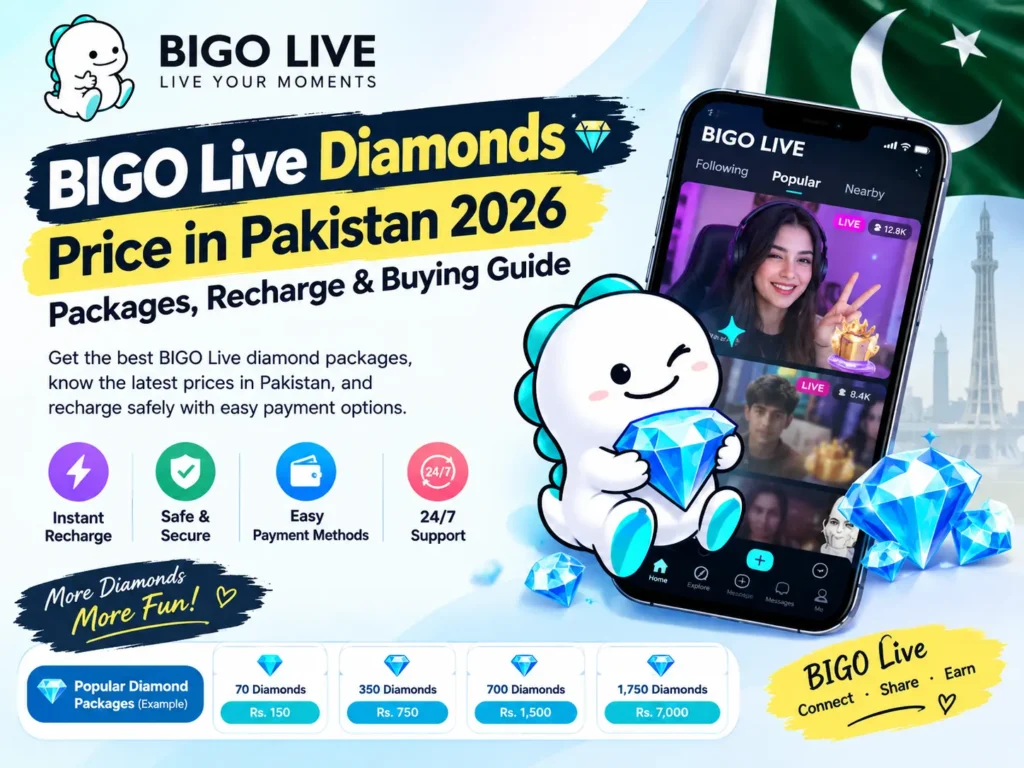
Looking for the latest BIGO Live Diamonds price in Pakistan in 2026? If you use BIGO Live to watch broadcasts, interact with hosts, or send virtual gifts, understanding Diamond packages can help you choose an option that matches your budget. BIGO Live uses Diamonds as a virtual currency for eligible in-app features, making them an important part of the platform’s live-streaming experience.
Pakistani users may want to compare Diamond prices in Pakistani Rupees (PKR), understand how recharging works, and explore payment options that are convenient for local customers. Before purchasing a package, it is also helpful to know how to find your BIGO Live User ID, what information a recharge seller may require, and what to do if a payment or delivery issue occurs.
This guide explains BIGO Live Diamonds prices in Pakistan, available package sizes, virtual gifting, recharge instructions, payment considerations, account security, and frequently asked questions. It also explains how to compare packages through TikPurchase.pk before placing an order.
Whether you are a new BIGO Live user or someone who regularly sends virtual gifts during live broadcasts, this guide will help you make a more informed purchasing decision.
BIGO Live Diamonds Price List in Pakistan 2026
The price of BIGO Live Diamonds can vary depending on the package, purchase channel, applicable fees, and seller. For Pakistani customers, comparing prices in PKR makes it easier to understand the total cost before completing a transaction.
The following table lists the BIGO Diamonds packages and prices provided for this guide.
| BIGO Live Diamonds | Price in Pakistan |
|---|---|
| 10 Diamonds | PKR 69 |
| 20 Diamonds | PKR 140 |
| 50 Diamonds | PKR 299 |
| 80 Diamonds | PKR 480 |
| 100 Diamonds | PKR 599 |
| 200 Diamonds | PKR 1,199 |
| 350 Diamonds | PKR 2,100 |
| 500 Diamonds | PKR 3,000 |
| 1,000 Diamonds | PKR 6,000 |
| 1,600 Diamonds | PKR 9,799 |
| 2,000 Diamonds | PKR 12,000 |
| 3,000 Diamonds | PKR 18,000 |
All prices are shown in Pakistani Rupees. These are the supplied package prices, not a guarantee of live or official BIGO pricing. Confirm the current price and availability on the relevant product page before purchasing.
Which BIGO Diamonds Package Should You Choose?
The right package depends on how frequently you use BIGO Live, how many gifts you intend to send, and how much you want to spend. A larger package is not automatically the best option for every user.
Small packages for occasional use
Packages such as 10, 20, 50, and 80 Diamonds can suit users who want a smaller quantity or prefer to spend a limited amount. They can also help first-time buyers understand the recharge process before making a larger purchase.
Medium packages for regular viewers
Options such as 100, 200, 350, and 500 Diamonds provide more Diamonds in a single transaction. These packages may be worth comparing if you regularly participate in live broadcasts or send gifts to hosts.
Larger packages for frequent gifting
Users who frequently send eligible virtual gifts may prefer to compare the 1,000, 1,600, 2,000, and 3,000 Diamond packages. Before choosing one, consider your intended use and verify the total amount payable.
Your preferred package should be based on your budget and actual usage rather than pressure to purchase more Diamonds than you need.
What Are BIGO Live Diamonds?
BIGO Live Diamonds are a virtual currency associated with the BIGO Live platform. They are used for eligible in-app activities, particularly virtual gifting during live-streaming sessions. The platform connects broadcasters and viewers, allowing audiences to participate in live interactions through features that may include comments, gifts, and other forms of engagement.
Diamonds are different from ordinary cash. They are digital items intended for use within the platform and should not be treated as a general-purpose payment balance. Their availability, uses, and applicable restrictions depend on BIGO Live’s current rules.
For viewers who regularly watch live broadcasts, understanding Diamonds can make the platform easier to navigate. Instead of choosing a package without knowing how it fits your usage, you can first learn about virtual gifting and then decide whether a recharge is necessary.
How Do BIGO Live Diamonds Work?
The basic process involves obtaining Diamonds through a supported purchase method and using them for eligible features within BIGO Live.
After acquiring Diamonds, a user may be able to select a virtual gift during a compatible live broadcast. The gift is associated with the platform’s gifting system and can be used to express appreciation for a broadcaster.
The number of Diamonds required depends on the particular gift or feature. Different virtual gifts may have different costs, so it is useful to review the displayed price before sending one.
For example, if you have a limited Diamond balance, you may choose smaller gifts rather than spending the entire balance on one interaction. If you regularly watch live streams, monitoring your remaining balance can also help you manage spending.
The precise features and purchase procedures can change as the platform updates its services. Always check the information displayed in your BIGO Live app before making decisions based on a particular feature.
What Is the Difference Between BIGO Diamonds and Beans?
BIGO Live users may encounter both Diamonds and Beans while exploring the platform. Although these terms are related to its virtual economy, they are not interchangeable.
Diamonds are generally associated with a user’s ability to purchase and send virtual gifts. Beans are commonly associated with the broadcaster side of the platform’s gifting and reward system, subject to BIGO Live’s applicable policies.
A viewer should not assume that buying Diamonds automatically creates a withdrawable cash balance. Similarly, the rules for receiving, converting, or withdrawing broadcaster rewards may differ from the rules governing Diamond purchases.
If you are using BIGO Live for entertainment, focus on the Diamond balance and gift prices relevant to your account. If you are a broadcaster, consult the platform’s current official documentation for its reward, conversion, and withdrawal rules.
Why Do People Buy BIGO Live Diamonds?
Users purchase BIGO Live Diamonds for different reasons, depending on how they participate in the platform’s live-streaming community.
Sending Virtual Gifts to Hosts
Virtual gifting is one of the main reasons viewers use Diamonds. Gifts can be sent during eligible live broadcasts to show appreciation for a host, celebrate an event, or participate in the stream’s interactive environment.
Different gifts may require different quantities of Diamonds. Checking the gift price before sending it helps you decide whether it fits your intended budget.
Supporting Favourite Broadcasters
Some viewers regularly follow particular hosts and want to participate more actively in their broadcasts. Sending eligible virtual gifts is one way to engage with creators through the platform’s gifting system.
However, purchasing Diamonds is optional. You can still enjoy many live-streaming experiences without buying a package, depending on the features available to your account.
Participating in Live Events
BIGO Live may offer special broadcasts, activities, or interactive features at different times. Some experiences can involve virtual gifting or other platform-specific interactions.
The requirements for individual events can vary. Before purchasing Diamonds specifically for an event, confirm that the event is active and that your intended activity is supported.
Managing Your Virtual Currency
Choosing a suitable Diamond package can make it easier to plan how much you intend to spend. Users who monitor their balances and gift prices can make more deliberate decisions instead of purchasing additional Diamonds unexpectedly.
A practical approach is to decide on a spending limit before recharging and select a package that fits within it.
How to Buy BIGO Live Diamonds in Pakistan
If you want to buy BIGO Live Diamonds in Pakistan, start by checking the available package options and the instructions provided by the recharge seller. A clear ordering process can help reduce errors and make it easier to track your transaction.
TikPurchase.pk provides a dedicated destination for customers to explore digital top-up options. Before proceeding, confirm that the relevant BIGO Diamonds product is available and that the listed payment and delivery terms meet your requirements.
Follow these general steps when using a supported ID-based recharge service.
Step 1: Open the BIGO Diamonds Product Page
Visit the relevant BIGO Live Diamonds product page on TikPurchase.pk. Review the product description, available package sizes, current prices, and any special instructions.
Do not assume that a package is available merely because it appears in an older price list. The live product page should be checked before you pay.
Step 2: Select Your Preferred Package
Choose the number of Diamonds you want to purchase. Compare the package price against your budget and intended use.
If you are a first-time buyer, you may prefer a smaller package until you are familiar with the ordering process. Regular users can compare larger packages, but should still consider whether the additional quantity is necessary.
Step 3: Find Your BIGO Live User ID
The seller may request your BIGO Live User ID to identify the account receiving the top-up.
Open BIGO Live and look for your profile or account information. Depending on the app version, your User ID may be displayed on your profile page or within the account details section.
Copy the ID carefully and compare it with the information displayed in your account. Avoid relying on a display name alone, because display names and account identifiers serve different purposes.
If you cannot find your ID, consult the app’s current help instructions before placing an order.
Step 4: Enter the Required Information
Enter your User ID in the field specified by the seller. Review all digits and characters before submitting the order.
Only provide the information required for the transaction. An ID-based recharge should not require you to disclose your account password or a one-time verification code to the seller.
If the product page requests additional information, make sure you understand why it is needed and whether it is appropriate to share.
Step 5: Check Available Payment Methods
Review the payment methods currently offered at checkout. Depending on the seller’s active payment arrangements, Pakistani customers may be able to use local payment services or other supported options.
The presence of a payment method in an article does not guarantee that it is available for every order. Always rely on the current checkout instructions.
Step 6: Confirm the Total and Complete Payment
Before paying, verify the Diamond quantity, total price, recipient ID, and payment details. Make sure the recipient information matches your intended BIGO Live account.
Complete the transaction only through the seller’s supported payment process. Keep your payment receipt or transaction reference in case you need to contact support.
Step 7: Check Your BIGO Live Balance
After payment confirmation and processing, open BIGO Live and check whether the purchased Diamonds have been credited.
Delivery time can depend on the seller’s processing arrangements and the applicable top-up method. If the Diamonds do not appear within the stated delivery timeframe, contact customer support and provide the order reference and payment evidence.
Following these steps can help you make a more informed purchase while reducing the risk of an incorrect account ID or payment-related problem.
BIGO Live Diamonds Payment Methods in Pakistan
Payment convenience is an important consideration for customers purchasing digital products online. Pakistani users may prefer payment services that are familiar, accessible, and suitable for their transaction size.
When purchasing BIGO Live Diamonds through TikPurchase.pk, check the live checkout page for currently supported methods. Payment options can change due to service availability, merchant arrangements, or operational requirements.
JazzCash
JazzCash is a mobile financial service used by customers in Pakistan for supported digital payments and money transfers. Where offered by the seller, it may provide a familiar way to pay for an online top-up.
Before sending money, verify the recipient details and the amount payable. Follow the seller’s current instructions and retain the transaction receipt until the order is completed.
Easypaisa
Easypaisa is another payment service commonly used in Pakistan. If it appears among the available checkout options, customers can follow the displayed instructions to complete their payment.
Availability may depend on the seller’s current payment arrangements. If Easypaisa is not shown at checkout, do not assume that an older payment instruction remains valid.
Binance and Other Supported Options
Some digital sellers may offer additional payment arrangements, including supported Binance-related options. The exact method and its terms should be confirmed directly with the seller.
Do not send cryptocurrency or funds to an address taken from an outdated article, an unverified message, or an unofficial social media account. Confirm the payment destination and order instructions before proceeding.
How to Choose a Payment Method
When comparing payment methods, consider the following:
- Whether the method is currently supported by the seller.
- The total amount you will pay, including any disclosed fees.
- Whether you can retain a transaction reference or receipt.
- How you can contact the relevant provider if a payment fails.
- Whether the payment instructions match the information shown on the official product page.
Choosing a convenient payment method is useful, but verifying the transaction details is equally important.
Why Consider TikPurchase.pk for BIGO Live Diamonds?
When purchasing digital top-ups, customers should look for clear product information, understandable payment instructions, and a process for getting assistance if something goes wrong.
TikPurchase.pk is the website to check for relevant product availability, package information, and ordering instructions. Before completing an order, review the details provided on the site rather than relying exclusively on third-party descriptions or older search results.
Clear Package Information
A price table helps customers compare the available Diamond quantities and understand the cost of different packages.
Always confirm the final amount on the product page. Prices may change, and the quantity shown in your order should match the package you intend to purchase.
A Straightforward Ordering Process
A clearly explained ordering process can help users understand what information to provide and what happens after payment.
Before submitting an order, make sure you know how the recipient account is identified, how payment confirmation works, and where to find your order reference.
Account Information and Security
Your BIGO Live account is personal, so protecting your login information should be a priority.
For a standard ID-based top-up, the seller should only require the details specified for that transaction. Do not disclose your password, recovery information, or OTP simply because someone claims they are needed to deliver Diamonds.
If a recharge method appears to require account access, verify its legitimacy before proceeding.
Customer Support and Order Assistance
Access to an appropriate support channel can be helpful if you enter the wrong information, encounter a payment issue, or experience a delay.
Before purchasing from TikPurchase.pk, review the contact information and support arrangements displayed on the website. Keep your order reference and payment receipt available when requesting assistance.
Do not assume that a particular delivery guarantee or support schedule applies unless the current product page explicitly confirms it.
BIGO Live Diamonds: Direct App Purchases vs Online Recharge Services
Users may have more than one way to obtain virtual currency, depending on the options supported by BIGO Live and the availability of third-party sellers.
Understanding the differences can help you choose the method that best fits your needs.
Purchasing Through BIGO Live
Buying through an official in-app purchase flow can be convenient because the purchase takes place within the platform’s own environment.
The displayed price, available payment options, and package sizes may depend on your device, account, region, and applicable store policies. Review the final amount shown before confirming an in-app transaction.
If you are unsure whether a purchase is official, check the app’s own purchase interface and current help resources.
Purchasing Through a Third-Party Recharge Service
A third-party service may provide a separate ordering process for supported digital top-ups. Depending on the service, users may be able to compare packages on a website and pay through methods offered by the seller.
However, third-party pricing and delivery arrangements are not necessarily identical to official in-app offers. You should verify the seller’s credibility, account information requirements, refund terms, and payment instructions before placing an order.
Which Option Is Better?
There is no single answer for every user. The right choice depends on the available package, total cost, convenience, supported payment methods, and your confidence in the purchase channel.
Compare the final prices rather than relying on a headline discount alone. Also consider what happens if the payment is successful but the recharge is delayed or cannot be completed.
The most important factors are accurate recipient information, secure payment handling, and a clear process for resolving problems.
How to Find Your BIGO Live User ID
Your BIGO Live User ID is important when using a top-up method that credits Diamonds to an identified account. Entering the wrong ID could delay the order or result in a recharge being associated with a different account.
Although the app interface may change, you can generally start by opening BIGO Live and visiting your profile.
- Open the BIGO Live application on your device.
- Navigate to your profile or personal account page.
- Look for your account details or User ID.
- Copy the identifier if the app provides a copy option.
- Return to the order page and enter the ID exactly as displayed.
- Check the entered details once more before paying.
If the ID is not visible where expected, explore the app’s current profile settings or help section.
Why Is the User ID Important?
A User ID helps distinguish an account from other users with similar display names. A person may change their profile name, but an account identifier is intended to identify the specific account.
For that reason, do not rely on a username, profile picture, or display name when the seller explicitly asks for a User ID.
What If You Enter the Wrong ID?
If you notice an error before payment, correct the ID before submitting the order.
If payment has already been completed, contact the seller as soon as possible and provide the order reference and correct account details. Whether the order can be changed depends on its processing status and the seller’s applicable terms.
Do not place a duplicate order until you understand the status of the original transaction.
Common BIGO Live Diamonds Recharge Problems and Solutions
Most online purchases involve a few basic steps, but problems can occur when payment details are incorrect, a transaction remains pending, or an account identifier is entered incorrectly.
Knowing how to respond can help you avoid unnecessary repeat payments.
Payment Completed but Diamonds Not Received
First, check your order status and confirm whether the payment has been recorded by the seller.
Keep the transaction receipt and order number. If the payment was successful but the Diamonds have not appeared within the stated delivery timeframe, contact the seller’s official support channel.
Avoid paying again immediately. A duplicate transaction may create additional confusion if the original order is still being processed.
Payment Is Pending or Failed
A payment can remain pending because of provider-side processing, connectivity issues, or other transaction problems.
Check the payment application’s transaction history and follow its instructions. If the amount has been deducted but the order is still pending, provide the relevant transaction reference to the seller.
Do not assume that a displayed payment error automatically means no money was transferred. Verify the actual transaction status before attempting another payment.
Wrong BIGO Live User ID
If the wrong ID was entered, contact support promptly. Provide the order reference and explain the error clearly.
The possibility of correcting the recipient depends on the order status, recharge method, and seller’s policies. Once a top-up has been processed, changing its destination may not be possible.
Carefully verifying your User ID before payment is the best way to reduce this risk.
Package Quantity Is Incorrect
Review the order confirmation and compare it with the package you selected.
If the confirmation displays the wrong quantity, contact support before making any additional payment. If the order has already been processed, the seller will need to review the transaction under its applicable policies.
Keep screenshots of the product selection and confirmation if they help explain the problem.
Unable to Find the Purchased Diamonds
Make sure you are checking the same BIGO Live account associated with your order. If you use more than one account, it is easy to overlook this detail.
Review your order status and allow the stated processing time to pass. If the Diamonds are still missing, contact support with your order reference and the relevant payment evidence.
Never provide your account password or OTP as a substitute for normal order verification.
Tips for Buying BIGO Live Diamonds Safely
Before spending money on virtual currency, take a few moments to check the details of your purchase.
Verify the Seller and Product Page
Use the intended website address and review the product details carefully. Be cautious of social media accounts or unofficial messages that imitate a known seller.
Confirm the package, price, payment destination, and ordering instructions before transferring money.
Compare the Final Price
A lower advertised price does not always mean a better transaction. Consider the final amount, any disclosed charges, delivery terms, and the support process.
Compare equivalent Diamond quantities rather than comparing packages with different sizes.
Protect Your Account Credentials
Do not share your BIGO Live password, recovery details, or OTP with a seller. These credentials can give someone access to your account.
For an ID-based top-up, follow the seller’s documented instructions and provide only the information needed to identify the recipient account.
Keep Proof of Payment
Save your transaction receipt, order confirmation, and any relevant support conversation until the recharge is completed.
These records can help the seller investigate a delayed or disputed order.
Set a Spending Limit
Virtual gifting can make live-streaming interactions more engaging, but spending can accumulate over time.
Decide how much you can comfortably spend before purchasing Diamonds. Choose a package that fits that amount and avoid making additional purchases simply because a broadcaster or event encourages more gifting.
Review Refund and Cancellation Terms
Digital products may have different cancellation and refund conditions from physical goods. Before paying, read the seller’s policy and understand how it handles incorrect details, failed orders, and delayed delivery.
Do not assume that every completed digital top-up can be reversed. The applicable terms and the status of the order matter.
How to Manage Your BIGO Live Diamonds Budget
Managing your Diamond balance is useful if you regularly participate in live broadcasts. A simple spending plan can help you enjoy the platform without losing track of your purchases.
Decide How Much You Want to Spend
Choose a realistic budget based on your personal circumstances. You can set a limit for a single session, a week, or a month.
Once you reach that limit, consider continuing to watch broadcasts without sending additional gifts until your next planned budget period.
Understand the Cost of Virtual Gifts
Gift prices can differ significantly. Check the Diamond cost of a gift before sending it so you understand how much of your balance it will use.
A large balance can make it easier to send multiple gifts without noticing the total expenditure. Checking your balance regularly helps you stay aware of your usage.
Avoid Unplanned Recharges
You do not need to purchase the largest available package simply because it is listed on the website. Choose a quantity that matches your expected usage.
If you are unsure how many Diamonds you need, start by reviewing the gift options and their costs within the app.
Keep Track of Purchases
For frequent purchases, maintaining a simple record of the date, package size, amount paid, and order reference can help you monitor spending.
This can also make it easier to identify duplicate payments or follow up on a transaction that has not been completed.
BIGO Live Diamonds Price & Recharge FAQs
What is the BIGO Live Diamonds price in Pakistan in 2026?
The supplied price list starts at PKR 69 for 10 Diamonds and reaches PKR 18,000 for 3,000 Diamonds. Actual prices and availability may change, so check the current product page before purchasing.
How much do 100 BIGO Live Diamonds cost in Pakistan?
The price provided in this guide for 100 BIGO Live Diamonds is PKR 599. Confirm the current price on the relevant product page before completing an order.
How much do 1,000 BIGO Live Diamonds cost?
According to the supplied price list, 1,000 Diamonds cost PKR 6,000. The final price should be verified at checkout.
Can I buy BIGO Live Diamonds in Pakistan?
You can explore the purchase options available to Pakistani users through BIGO Live’s supported purchase channels and eligible third-party recharge services. Check the available payment methods and current terms before placing an order.
How can I recharge BIGO Live Diamonds online?
Open a supported recharge product page, choose a package, provide your BIGO Live User ID if required, and complete payment using an available method. Check your order confirmation and account balance after processing.
Can I use JazzCash to buy BIGO Diamonds?
JazzCash may be available through some sellers. Check the current checkout options on TikPurchase.pk before assuming that the payment method is supported for your order.
Can I use Easypaisa for BIGO Live Diamond recharge?
Easypaisa may be offered by some digital recharge services, depending on their current payment arrangements. Confirm availability and follow the instructions shown at checkout.
Is it safe to buy BIGO Live Diamonds online?
Safety depends on the purchase channel and how your information is handled. Verify the seller, check the payment destination, review the order terms, and avoid sharing your account password or OTP. No third-party service should be assumed safe solely because it advertises a low price.
Do I need my BIGO Live password to recharge Diamonds?
A standard ID-based recharge should require only the recipient information specified by the seller, such as your BIGO Live User ID. Do not disclose your password or OTP to complete a routine top-up.
How long does BIGO Live Diamond delivery take?
Delivery time depends on the purchase channel, payment confirmation, and order processing. Check the seller’s stated timeframe before paying. If your order is delayed beyond that timeframe, contact support with your order reference.
What should I do if my payment succeeds but my Diamonds do not arrive?
Check your order status and retain the payment receipt. Contact the seller through its official support channel and provide the order number and transaction reference. Avoid making a second payment until you have checked the status of the first order.
Can I get a refund for a BIGO Diamonds purchase?
Refund eligibility depends on the seller’s policy, payment status, and whether the digital product has already been delivered. Read the cancellation and refund terms before ordering, and contact the seller if an order fails or is not delivered as expected.
Are BIGO Diamonds the same as Beans?
No. Diamonds are generally associated with purchasing and sending virtual gifts, while Beans are associated with broadcaster rewards under BIGO Live’s applicable system. Their rules and uses differ, so consult the platform’s current information for details.
Can I use BIGO Diamonds outside the BIGO Live app?
Diamonds are platform-specific virtual currency intended for eligible BIGO Live features. Do not assume they can be used as ordinary money or transferred to unrelated applications.
Which BIGO Diamonds package is best for beginners?
A smaller package may be a sensible starting point if you are unfamiliar with the gifting system. Compare the price and quantity, choose an amount within your budget, and learn how the features work before considering a larger purchase.
Can I buy BIGO Diamonds for another user?
Whether a recharge can be made for another account depends on the seller’s supported process. If the service permits it, confirm the recipient’s User ID carefully and ensure that the order details identify the intended account.
Why do BIGO Diamonds prices differ between websites?
Prices may differ because of purchase channels, regional pricing, exchange rates, payment fees, promotions, and seller pricing policies. Compare the final price for the same Diamond quantity and review the purchase terms before deciding.
Buy BIGO Live Diamonds Online Through TikPurchase.pk
BIGO Live Diamonds allow viewers to participate in virtual gifting and other eligible live-streaming features. Understanding the available package sizes, checking the price in Pakistani Rupees, and choosing a suitable recharge method can help you make a more informed purchase.
Before placing an order, confirm the package quantity, current price, recipient User ID, available payment options, and delivery terms. Keep your payment receipt and protect your BIGO Live account credentials throughout the process.
If you are ready to explore your options, visit TikPurchase.pk and check the relevant BIGO Live Diamonds product page for current availability and ordering instructions.
Compare your options, choose a package that fits your budget, and review all order details before completing payment.